Features of A3W
This guide provides an overview of the key features and functionalities of the A3W web system designed for managing Arma 3 communities.
Ranks
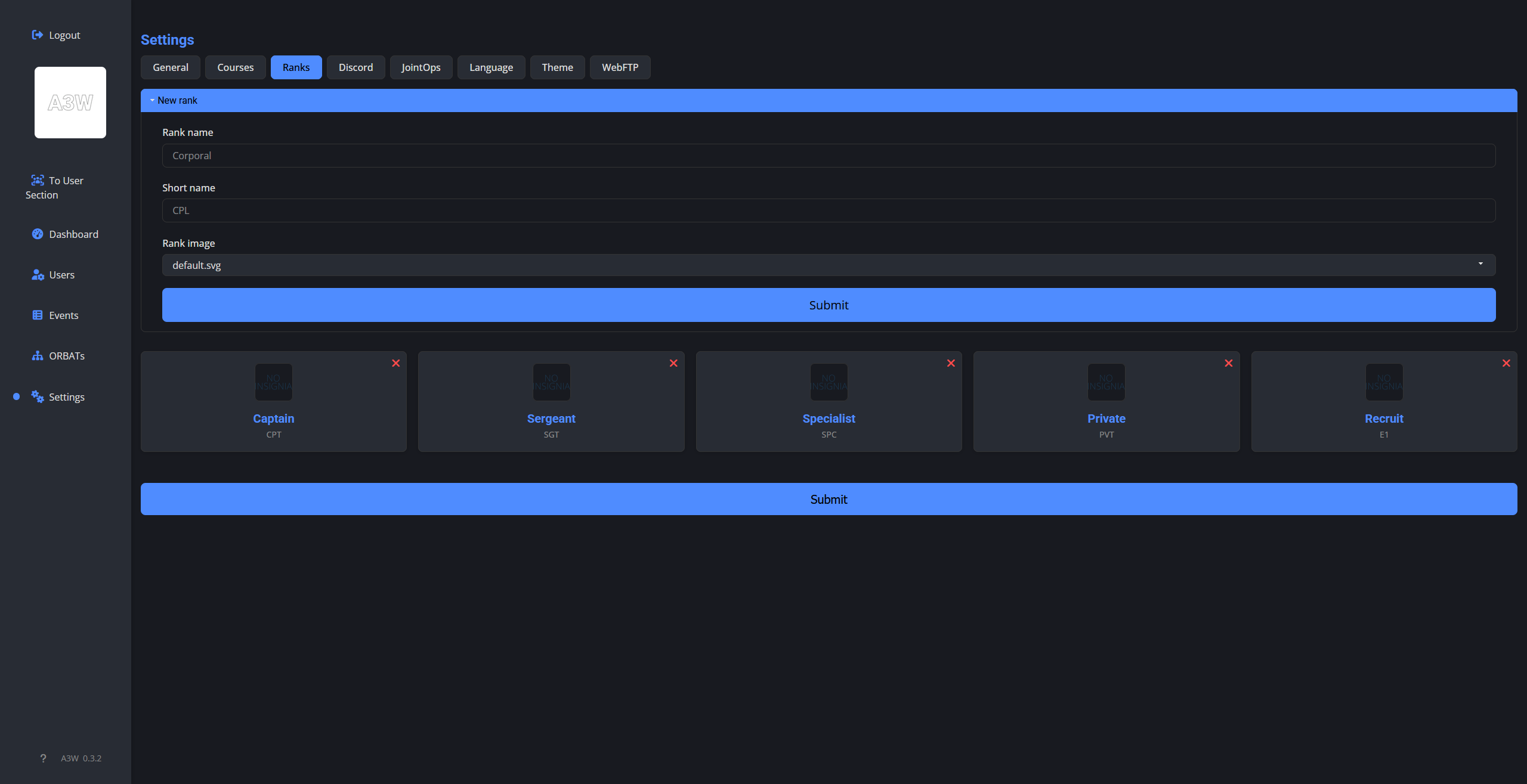
If your group uses ranks, you can set up custom ranks for your members, each with its own name, short name and image. They are completely optional and does not hinder the use of the system if you do not want to use them.
They support optional images, which can be uploaded via FTP, and can be set to display next to names via toggle in settings.
Courses
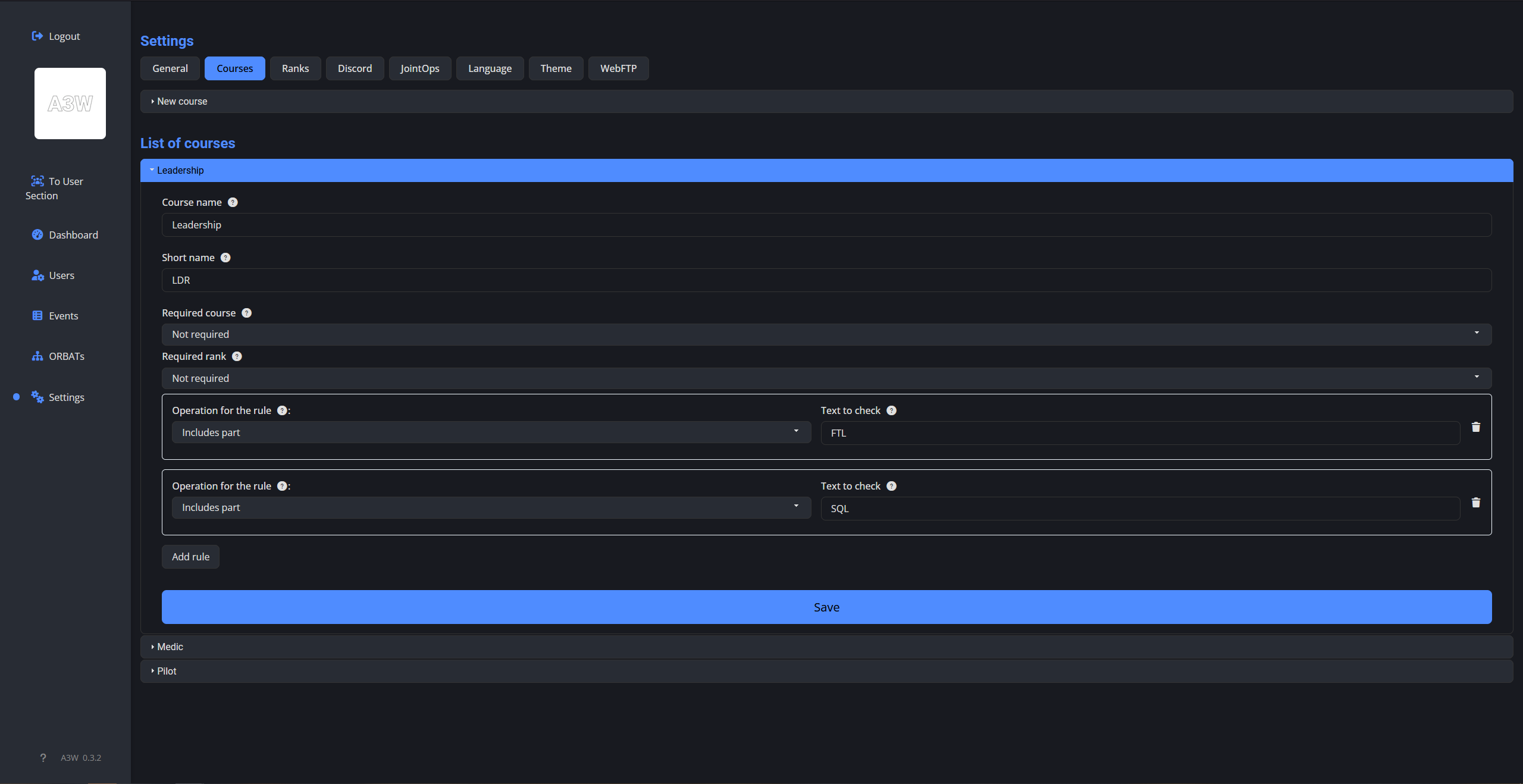
If your group uses courses to track member progress, you can set up custom courses, each with its own name and requirements. Courses can require certain rank or other courses to be granted.
Courses can also restrict certain roles, based on the name of the slot "KIT". The rule can be set in the setting, where the slot "KIT" can be same or contain part of the rule.
ORBAT
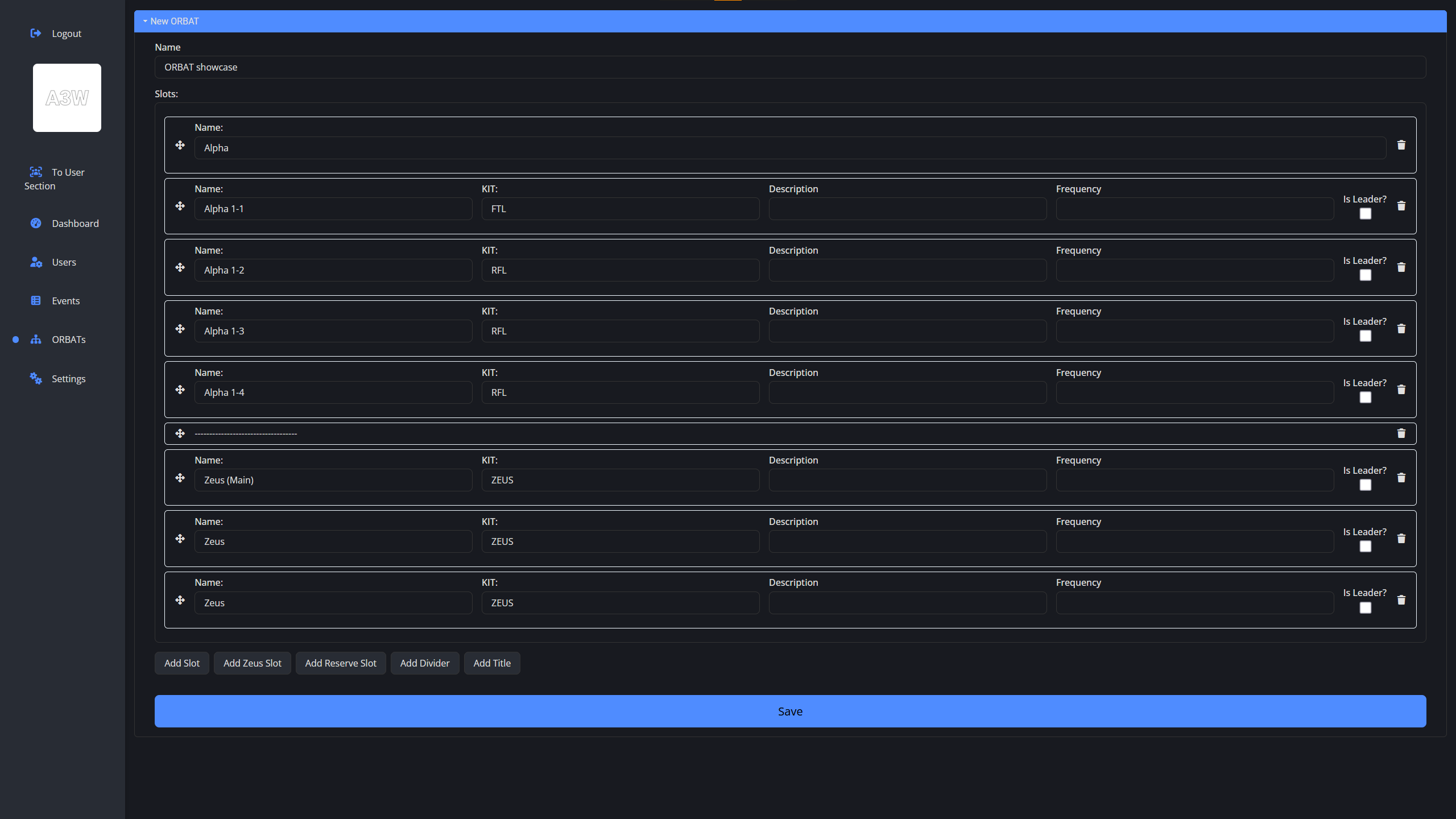
ORBAT (Order of Battle) allows you to define the structure and roles within your group. Each ORBAT can have title and divider, but the main building components are slots. Each slot have its own name, KIT, optional descrtiption and optional frequency. Lastly, each slot can be marked as leader slot, which have extra functions in the event details.
Events
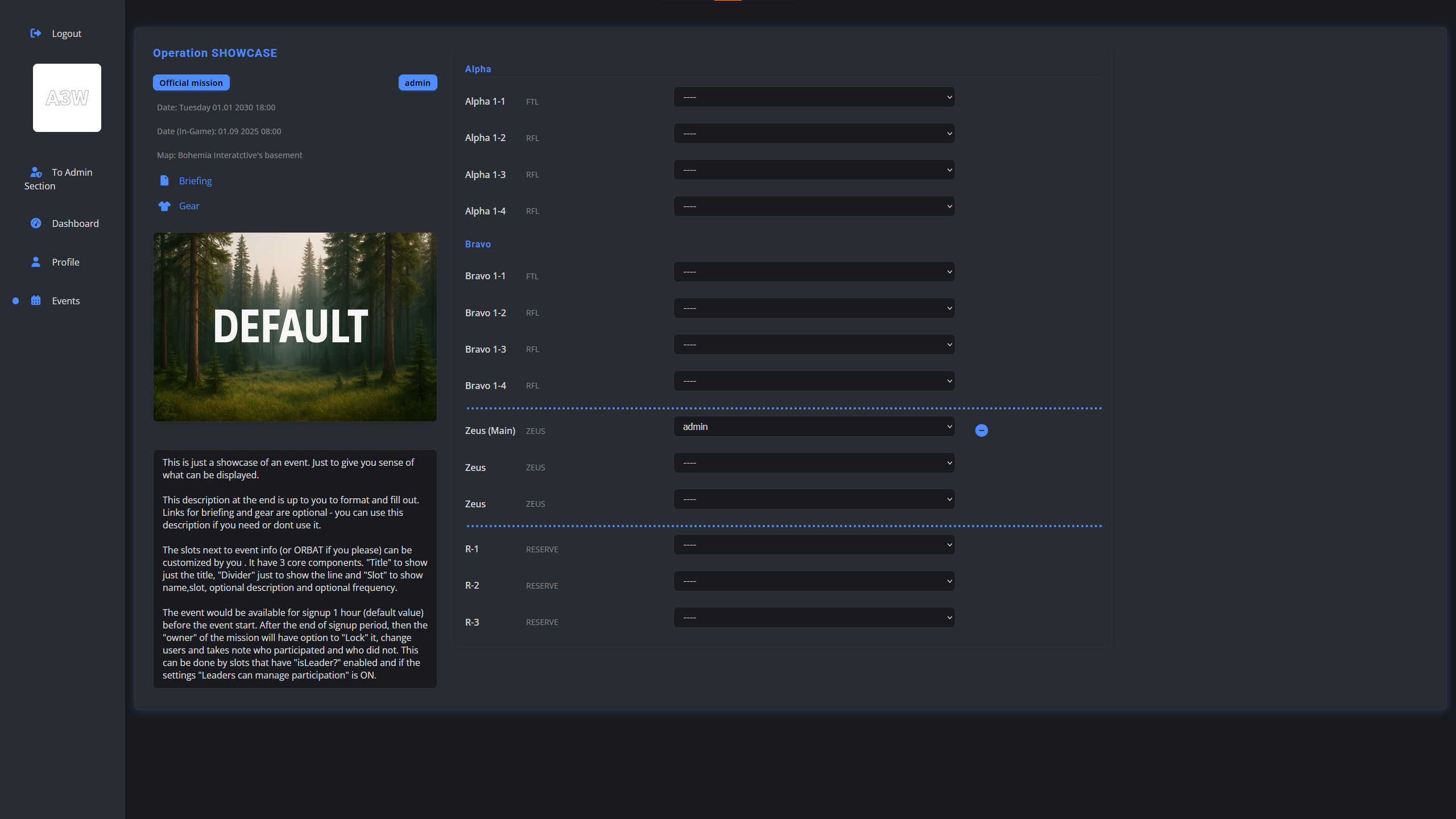
Events are main thing in the system. Each event has required fields such as name, date of the event, date ingame, map and more. If global setting require courses or Law Of War, then each event can require courses for slot "KIT" or Law Of War.
Each event must have an ORBAT assigned, which defines the slots available for sign up. 1 hour before the event starts (default value) the event is closed for sign ups, and only the event creator, main admin or slots marked as leader can modify the sign ups. After the event is started (by the time of the event), then these roles can lock the event and confirm participation of each member (only members that are marked will be stored in the system).
System of excuses is also optional, where users can add an excuse to the mission and those who were not signed up for the mission will be recorded as unexcused absences after it starts.
JointOps
JointOps allow cooperation between different groups. You can create JointOps and invite other groups to them, whether they use the A3W system or not.
Within your system you can see the JointOps you created, as well as those where you were invited. For users, they function almost the same as missions.
You can also invite groups that do not have the A3W system to JointOps. Those users will receive a special link to access the JointOps, where they can manage their sign-ups and participation just like regular users.
User Management
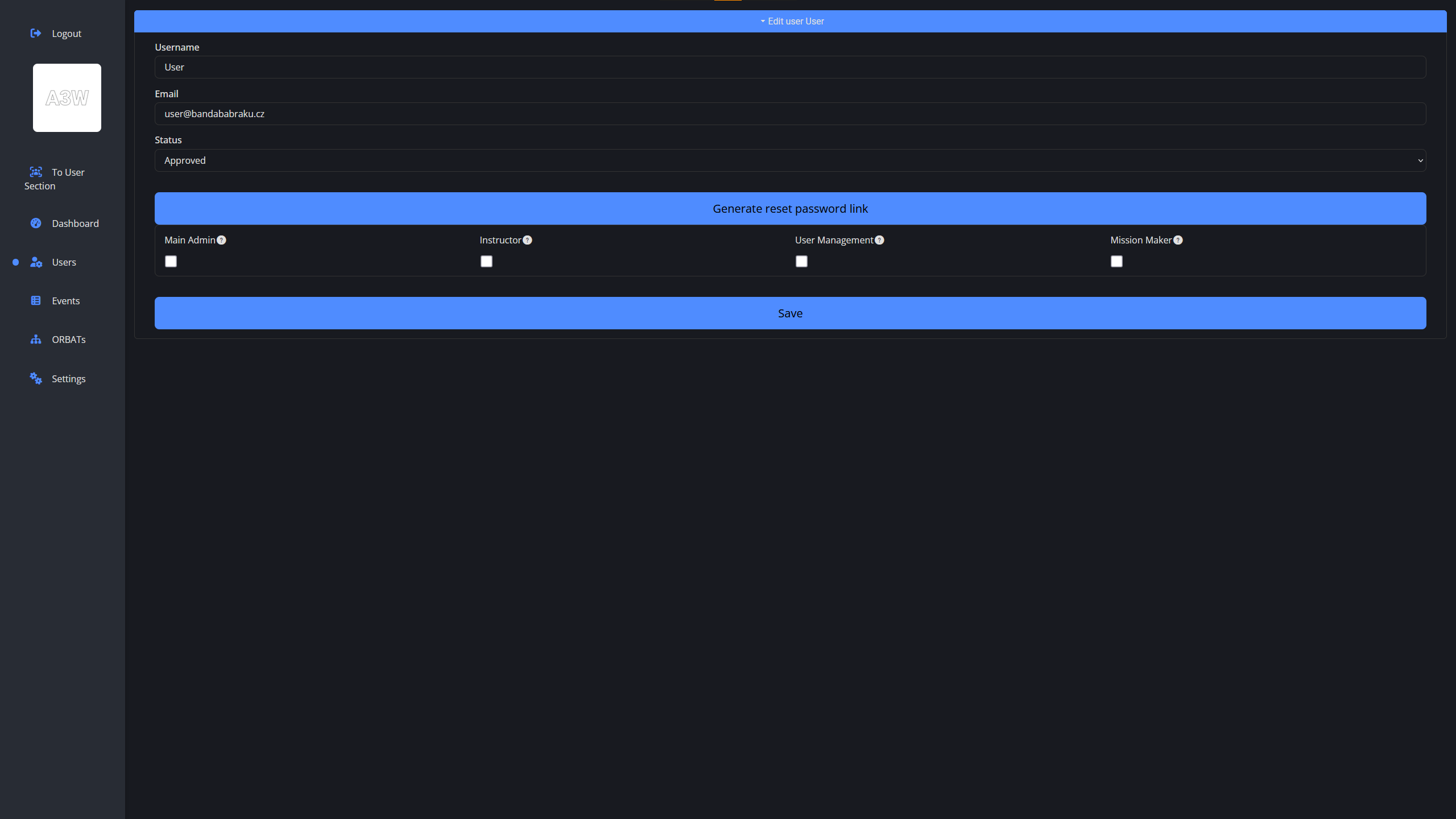
The system supports unique usernames and emails, with options to enable checking Discord ID and Steam ID. Upon completening registration, users are needed to be approved by an admin before they can log in.
There are 4 admin roles: Main Admin (can do everything and can change global settings along with courses, ranks, admin roles, etc.), Instructor (can change all courses for users, but cannot create new or edit other user aspects), User manager (same as Instructor, but can manage users - approve, edit, delete) and Missionmaker (can create and manage events and ORBATs)
Discord Integration
Integration is done via webhooks, where there are 3 types of webhooks: Events (webhook for only new events, which is where are the notifications about new events sent), Log (Webhook for common logs - for now only for new user registrations) and Audit (webhook for every action and error the system does. We highly recommend to set this one up to private muted channel)
Built-in Calendar
The system includes a built-in calendar that allows users to easily view upcoming events and missions. Missions are displayed in the calendar according to their lock status, with the time and name, and clicking on them takes the user directly to the mission details. Additionally, users can upload their own .ics file (for example, their own Google Calendar) to the calendar.
Mobile App (PWA)
A3W can also be used as a mobile app (PWA) for easy access to the system features from mobile devices.
PWA mobile app provides the same features as the web version, but is optimized for smaller screens and touch input. There is also option to enable push notifications for important updates.